Developers / Integrations
Connect to OpenAleph API for User Integration

Introduction
OpenAleph allows you to automatically synchronize and update your users through our ETL (Extract, Transform, Load) process.
This tutorial explains how to generate your API key, access our API documentation, and monitor your integration reports.
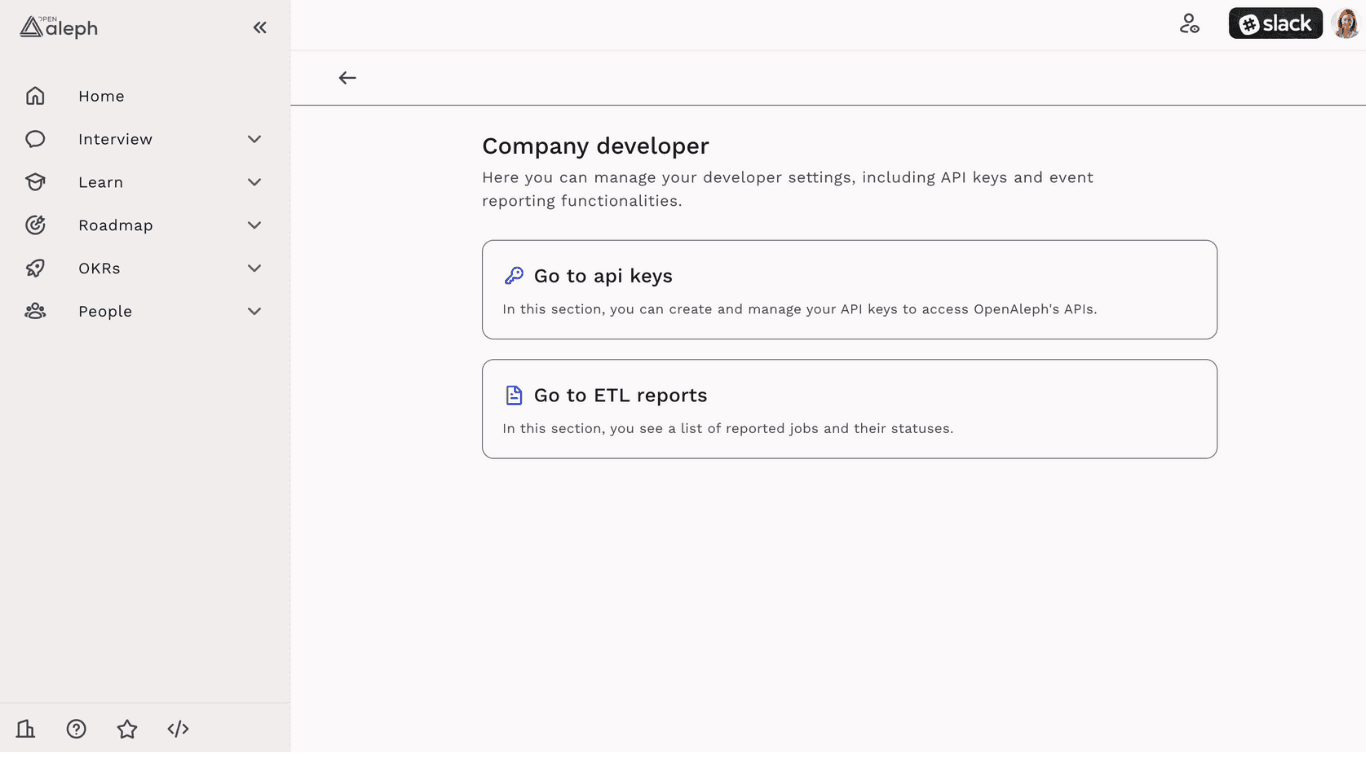
1. Access the Developer Page
To start, make sure you have Admin access to your company OpenAleph workspace.
Log in to your OpenAleph account.
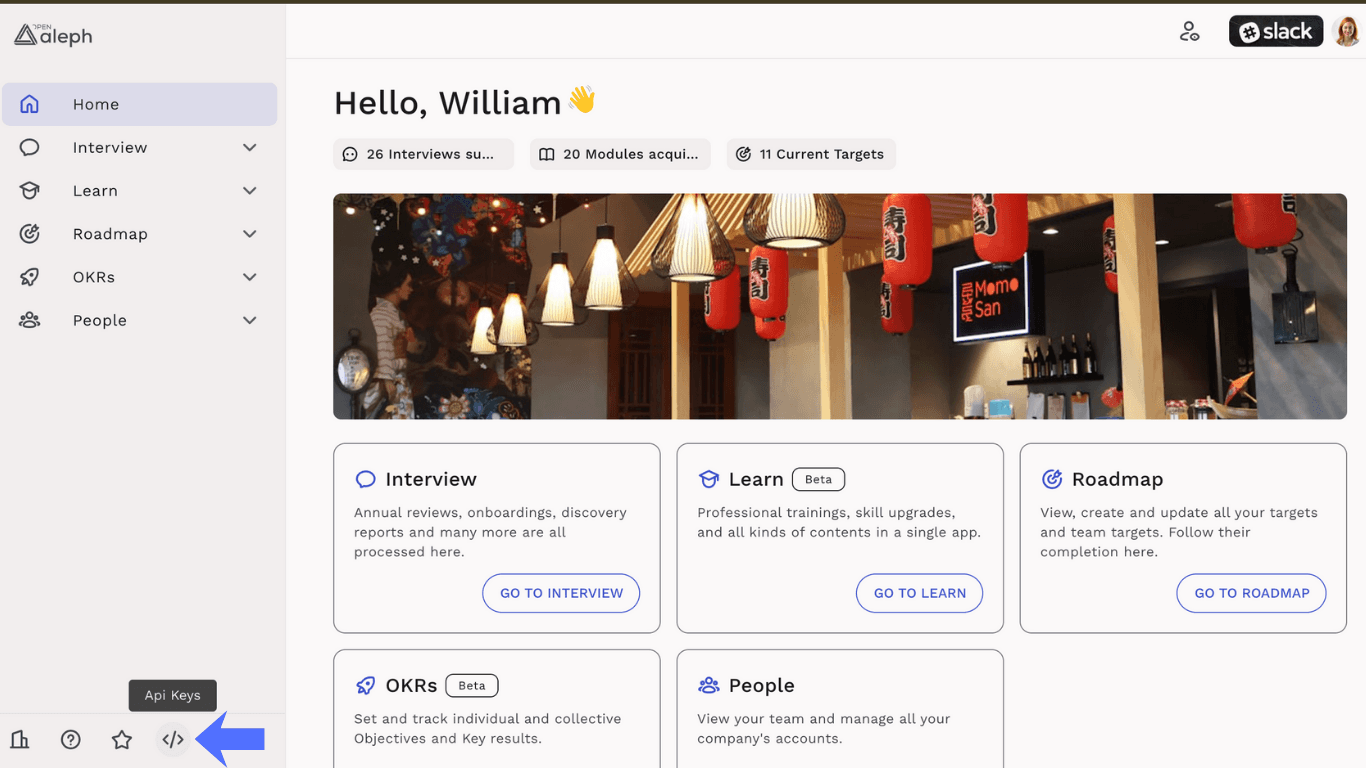
In the side navigation, on the bottom.
Click on the ⚙️ Developer icon to access Company Developer page.
2. Generate Your API Key
On the Developer page, open the API Keys section.
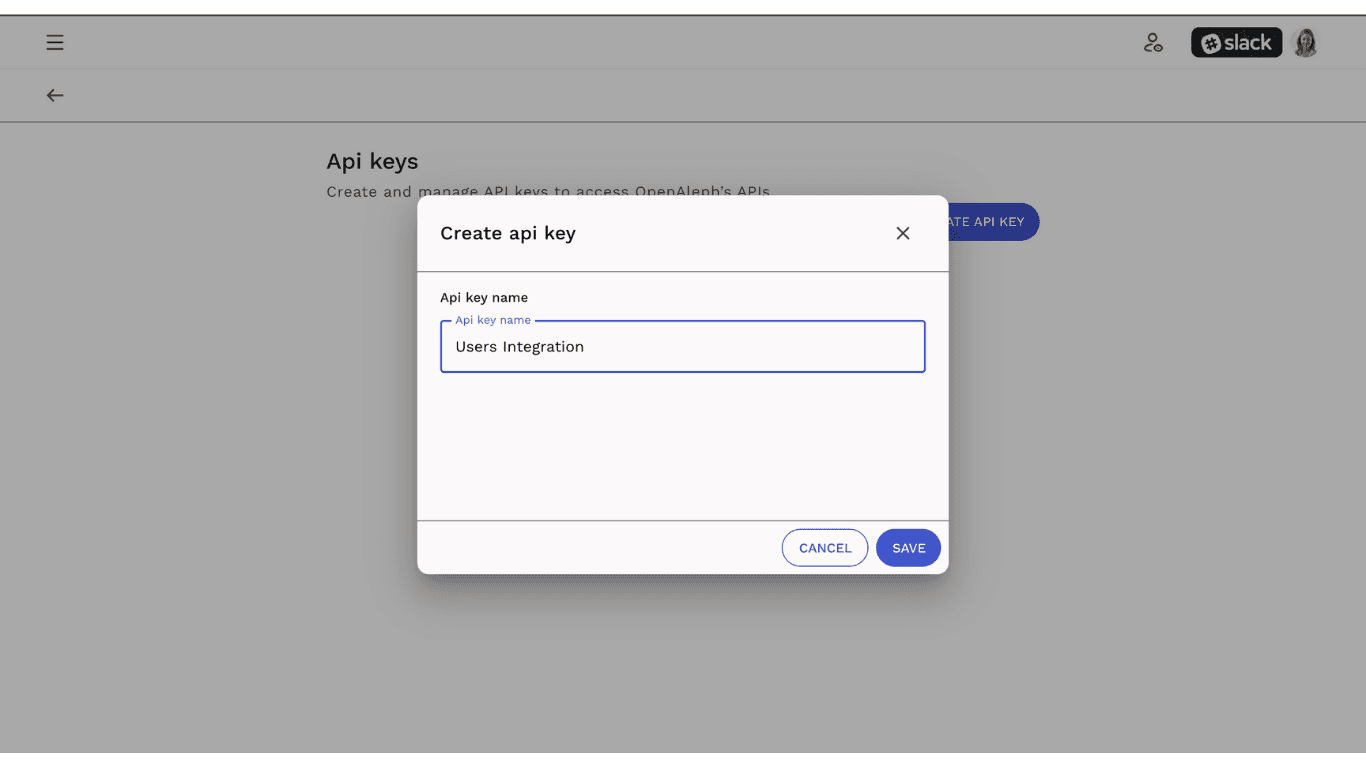
Click “Generate New API Key.”
Copy your key immediately — it will only be visible once.
Store it securely (e.g., in a password manager or environment variable).
Do not share it publicly.
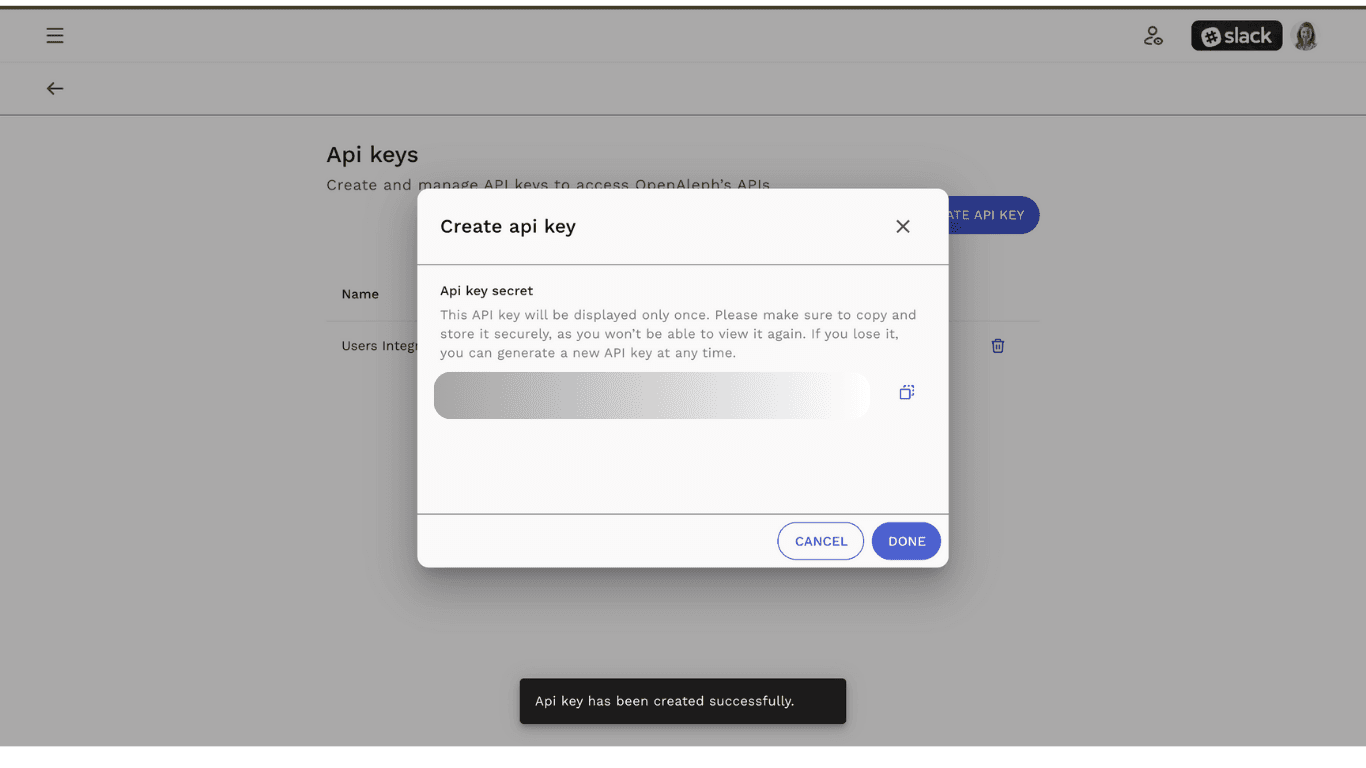
⚠️ Important: If you lose your key, you’ll need to generate a new one.
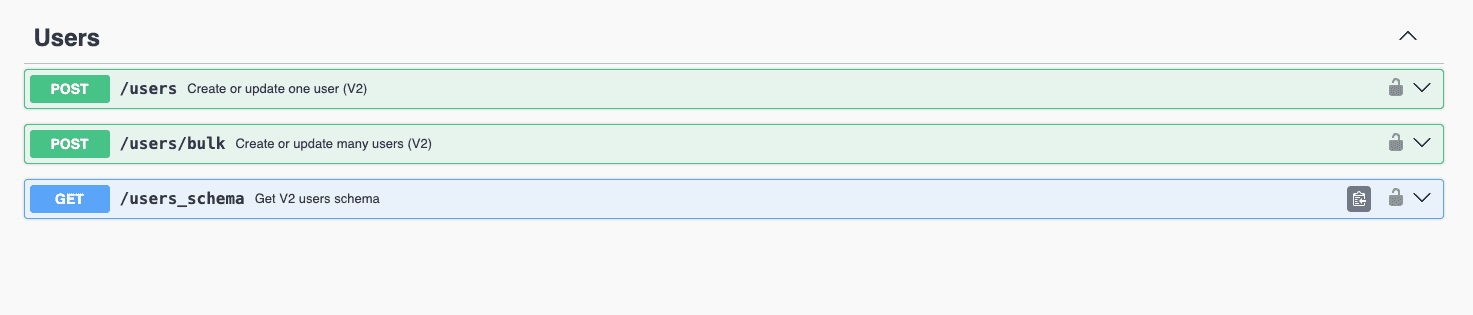
3. Explore the API Documentation
Once your key is ready, you can consult our API documentation here:
👉 OpenAleph API Docs (Swagger)
This page contains:
Endpoints available for user integration (ETL)
Required authentication headers and parameters
Example request and response structures
4. Schedule and Monitor Jobs
Your integration will run automatically through scheduled jobs (daily or weekly).
To monitor their progress:
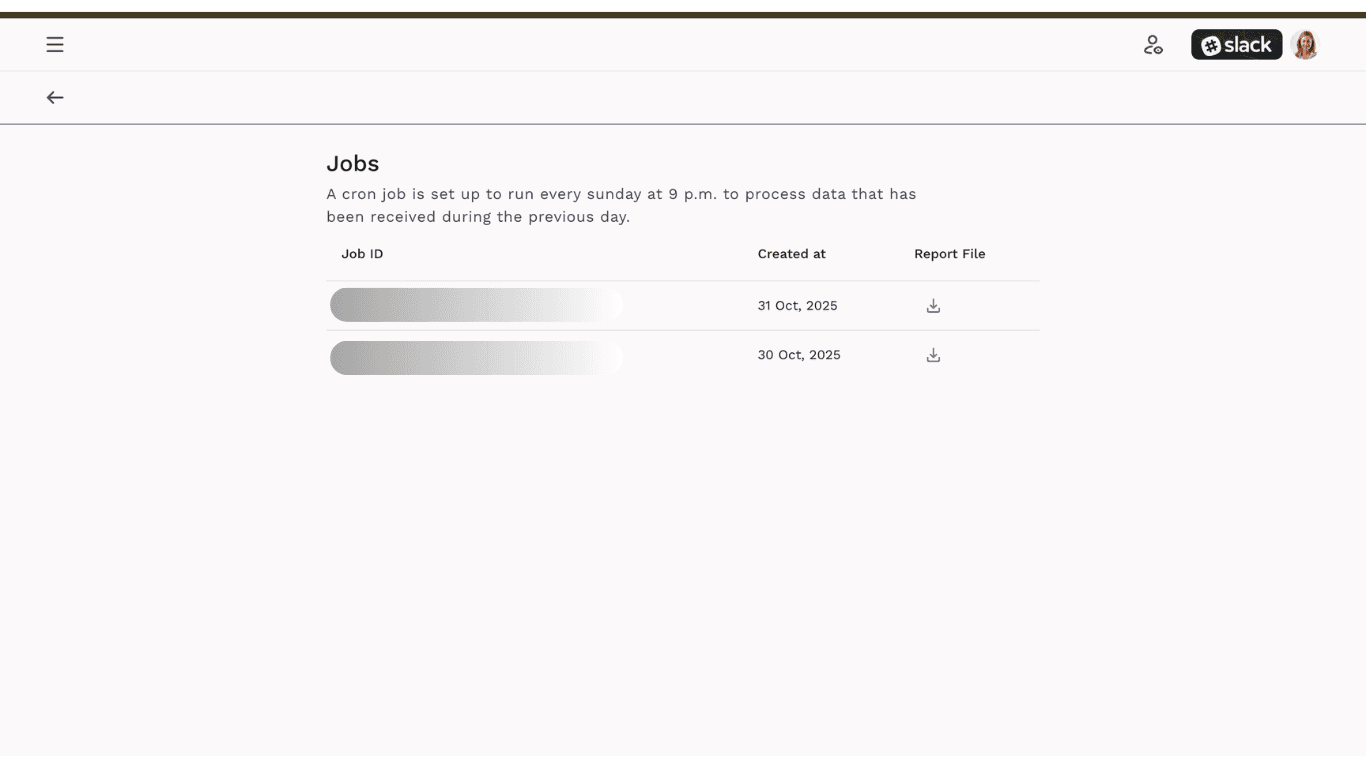
On the Developer page, open the ETL Reports section.
You’ll see a list of jobs that have been executed.
Each job includes:
Job ID
Date and time of execution
Brief report of imported users and any issues
⚠️ Important Notes
Rollback and Backup:
OpenAleph provides a rollback feature as a safeguard in case of incorrect or incomplete imports.
If you need to revert data to a previous state, please contact us to initiate the rollback process.Job Scheduling:
Jobs are configured to run automatically on a daily schedule.
If you wish to modify the recurrence or scheduling frequency, our technical team can assist you with the adjustment.Running Jobs Instantly:
If you need to execute a job immediately, this option is currently available only through our technical team.
Please reach out to us to request a manual run or schedule an on-demand execution.
Need help?
If you face any issue with your integration, contact your Admin or OpenAleph Team via support@byseven.co.